Skip to content
  • May 4, 2026
Your Gateway to Digital Excellence. Your Gateway to Digital Excellence.

Your Gateway to Digital Excellence.

Simplifying the Complex, One Solution at a Time.

×
Your Gateway to Digital Excellence. Your Gateway to Digital Excellence.

Your Gateway to Digital Excellence.

Simplifying the Complex, One Solution at a Time.

  • Home
  • AI & Chatbot Solutions
  • Social Media Hub
  • Streaming & Entertainment
  • Digital Finance & Web3
  • Tools & Utilities
  • LEGAL
    • Terms of Service
    • Privacy Policy
    • Contact
    • About Us
  • Home
  • Digital Finance & Web3
  • Coinbase Account Locked: Step-by-Step Recovery Guide
Digital Finance & Web3 coinbase 2fa recovery, coinbase account locked, coinbase account recovery, coinbase compliance review, coinbase fix, coinbase locked, coinbase login fix, coinbase password reset, coinbase support, coinbase suspicious activity Louis KORHONEN May 3, 2026 0 Comments

Coinbase Account Locked: Step-by-Step Recovery Guide

Table of Contents

Toggle
  • Why Coinbase Locks Accounts
  • Fix 1: Reset Your Password
  • Fix 2: Recover 2FA Access
  • Fix 3: Unlock After Suspicious Activity Detection
  • Fix 4: Compliance Review (Restricted Account)
  • Fix 5: Contact Coinbase Support Directly
  • Related Guides

Why Coinbase Locks Accounts

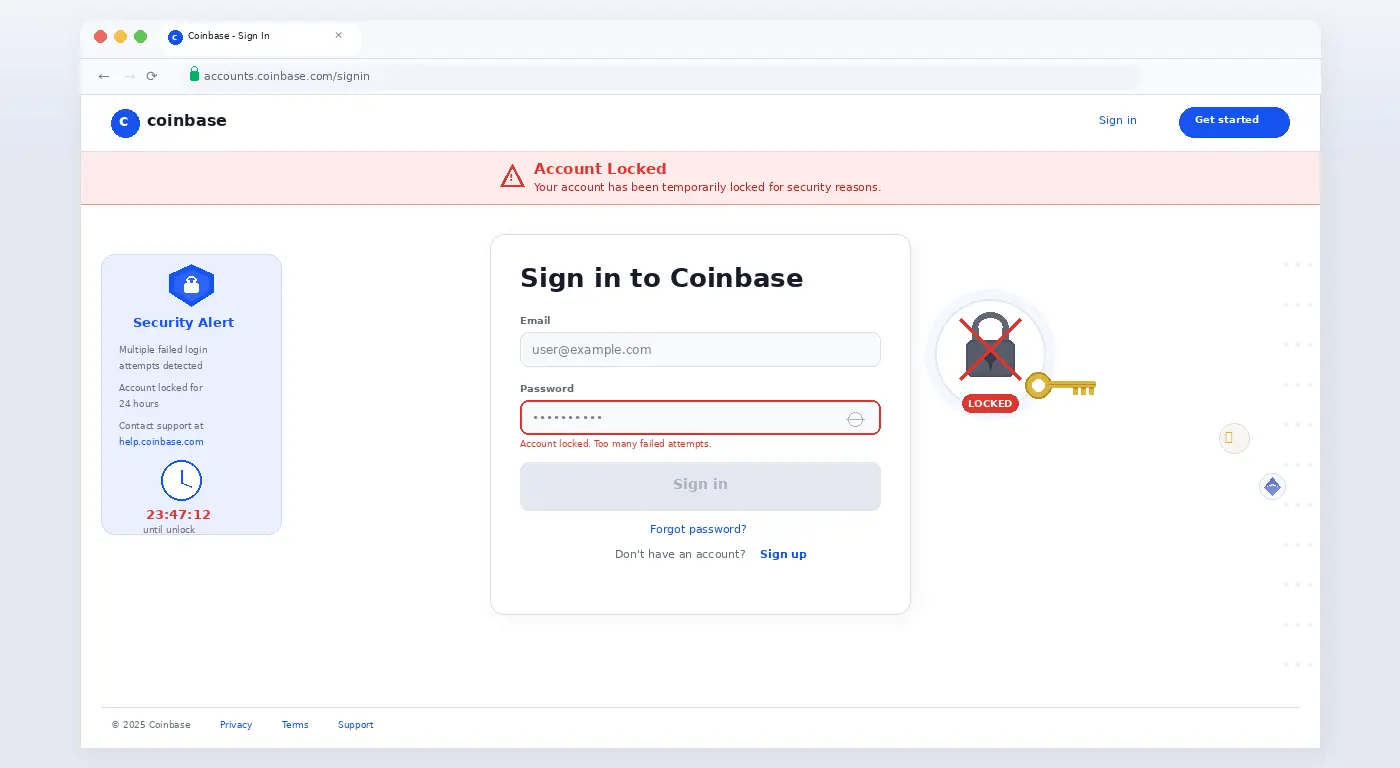
Coinbase locks accounts for a handful of reasons: too many failed login attempts, suspicious activity detection, an expired 2FA device, a compliance review triggered by a large transaction, or a government request. The approach to recovery depends on which scenario applies to you.

Fix 1: Reset Your Password

  1. Go to coinbase.com → click Sign In → Forgot password?
  2. Enter your email. Coinbase will send a password reset link.
  3. Check your spam folder — Coinbase emails frequently land there.
  4. Use the link within 24 hours. After resetting, attempt to sign in again.

Fix 2: Recover 2FA Access

  1. If you lost your 2FA authenticator app (phone lost or replaced), click I need help on the 2FA screen.
  2. Select I no longer have access to my authenticator app.
  3. Coinbase will ask you to verify identity via a government-issued ID and a selfie video.
  4. After verification (usually 24–48 hours), you can reset 2FA to a new device.

Fix 3: Unlock After Suspicious Activity Detection

  1. If Coinbase locked the account due to suspicious activity, you’ll receive an email with an “unlock account” link.
  2. If you did not receive the email, go to help.coinbase.com → Contact Support → Account Access.
  3. Select “My account is locked” and follow the identity verification flow.

Fix 4: Compliance Review (Restricted Account)

  1. Some accounts are restricted (not locked) pending identity review after large deposits or suspicious transaction patterns.
  2. Log in → you’ll see a banner asking for additional verification. Submit the requested documents promptly — delays extend the review period.
  3. These reviews typically resolve in 1–5 business days.

Fix 5: Contact Coinbase Support Directly

  1. Go to help.coinbase.com → Contact Us.
  2. Choose Chat during US business hours for fastest response. Email support takes 2–5 business days.
  3. Have your full legal name, the email address on the account, and your government ID ready before contacting support.
Pro Tip: Never share your Coinbase password or recovery codes with anyone claiming to be “Coinbase Support” via Twitter, Discord, or Telegram. Coinbase will never ask for these. These are scams — and account recovery from a scam-facilitated compromise is extremely difficult.

Related Guides

If your Binance 2FA is also not working, see our Binance 2FA recovery guide. For MetaMask transaction issues, see our MetaMask stuck transaction fix.

Tag coinbase 2fa recovery coinbase account locked coinbase account recovery coinbase compliance review coinbase fix coinbase locked coinbase login fix coinbase password reset coinbase support coinbase suspicious activity
Louis KORHONEN

Add your Biographical Information. Edit your Profile now.

view all posts
Previous post

MetaMask Transaction Stuck Pending: How to Fix It

Next post

Trust Wallet Balance Not Showing: 5 Fixes

Related Posts

Louis KORHONEN 1

Binance 2FA Not Working: Restore Access in Minutes

May 3, 2026
Louis KORHONEN 0

Crypto Transfer Failed: 6 Common Causes and Fixes

May 3, 2026
Louis KORHONEN 0

Trust Wallet Balance Not Showing: 5 Fixes

May 3, 2026

You May Have Missed

AI & Chatbot Solutions

ChatGPT Is Down or Not Responding: Here’s What to Do Right Now

May 3, 2026 Louis KORHONEN
AI & Chatbot Solutions

ChatGPT Memory Not Saving: Enable and Fix Guide

May 3, 2026 Louis KORHONEN
AI & Chatbot Solutions

Midjourney Bot Not Working in Discord: 6 Fixes

May 3, 2026 Louis KORHONEN
AI & Chatbot Solutions

Google Gemini Not Responding: How to Fix It Fast

May 3, 2026 Louis KORHONEN
AI & Chatbot Solutions

Claude AI Not Working? 5 Common Errors Fixed

May 3, 2026 Louis KORHONEN

NewsBlogger - Magazine & Blog WordPress Theme 2026 | Powered By SpiceThemes

Powered by
►
Necessary cookies enable essential site features like secure log-ins and consent preference adjustments. They do not store personal data.
None
►
Functional cookies support features like content sharing on social media, collecting feedback, and enabling third-party tools.
None
►
Analytical cookies track visitor interactions, providing insights on metrics like visitor count, bounce rate, and traffic sources.
None
►
Advertisement cookies deliver personalized ads based on your previous visits and analyze the effectiveness of ad campaigns.
None
►
Unclassified cookies are cookies that we are in the process of classifying, together with the providers of individual cookies.
None
Powered by